One print after another, without you
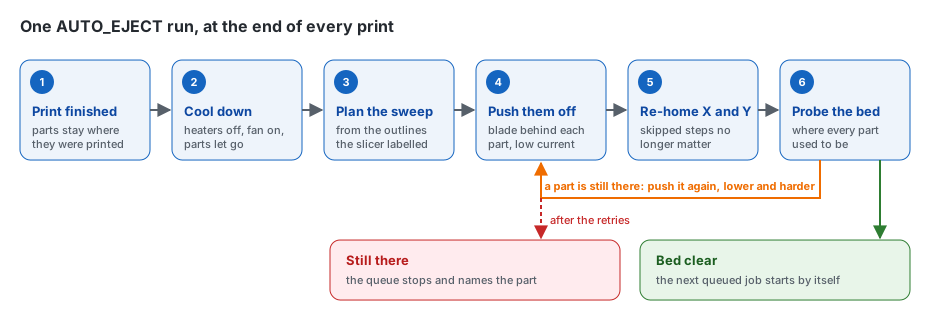
When a print ends, AUTO_EJECT runs from the slicer's end G-code. It knows where every part is,
because the slicer wrote the outlines into the file.
-
1 · Cool down
Heaters off, part fan on, and the toolhead circles over the parts until they let go of the sheet.
-
2 · Push them off
The blade comes down behind the parts and pushes them over the edge, slowly and with less motor force.
-
3 · Check the bed
X and Y are homed again and the probe touches the bed where each part was. Still there? Pushed again, lower and harder.
-
4 · Next print
The bed is clear, so Moonraker starts the next job. If a part would not move, the queue stops instead.
What it does
-
Safe by design
The motors run at lower current while pushing, so a stuck part makes them skip instead of breaking something. Nothing is printed on top of a part that stayed behind.
-
Set up with buttons
Five short dialogs in Mainsail or Fluidd. With Voron Tap the printer measures the blade by itself, to a fraction of a millimetre.
-
Its own page
A live map of the bed, the print queue, a check for your G-code files and every setting, in English or Arabic. See it
-
Survives power cuts
The parts on the bed are remembered. After a restart the printer homes beside them, never on them. How
-
Leaves stencils alone
Prints too flat for the blade stay on the bed, and the queue waits until you take them off.
-
Fits your printer
Any drop edge, three ways to plan the pushes, contact, offset and eddy probes, and stock, DEMON or Klippain macros.
Built to be checked
360+ automated tests of the macros, the page and the services, against the Jinja versions Klipper ships
5 dialogs in the guided setup, no config file to edit and no ruler
2–3 min to measure the blade with Voron Tap, by touching a small printed block
0 internet connections needed: everything runs on the printer
See it before you install it
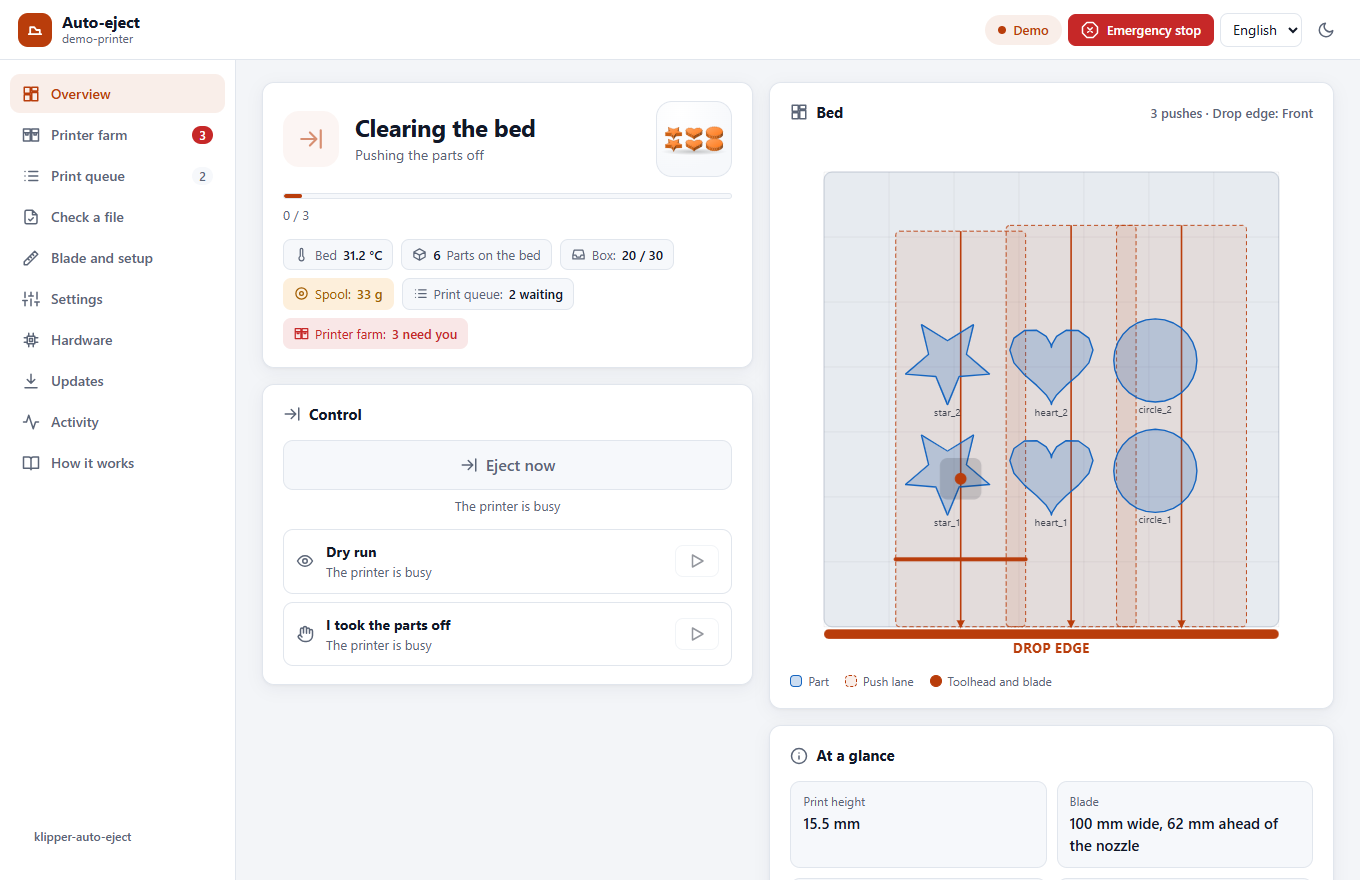
The web page runs right here in your browser, against a pretend printer: it prints, cools, clears the bed and starts the next job by itself. Press Eject now, open the queue, check a file, or change a setting.

On your phone, as an app. Open it from anywhere through Tailscale, install it with its own icon, and get a notification when the printer needs you, even while the app is closed. In English and Arabic, light and dark.
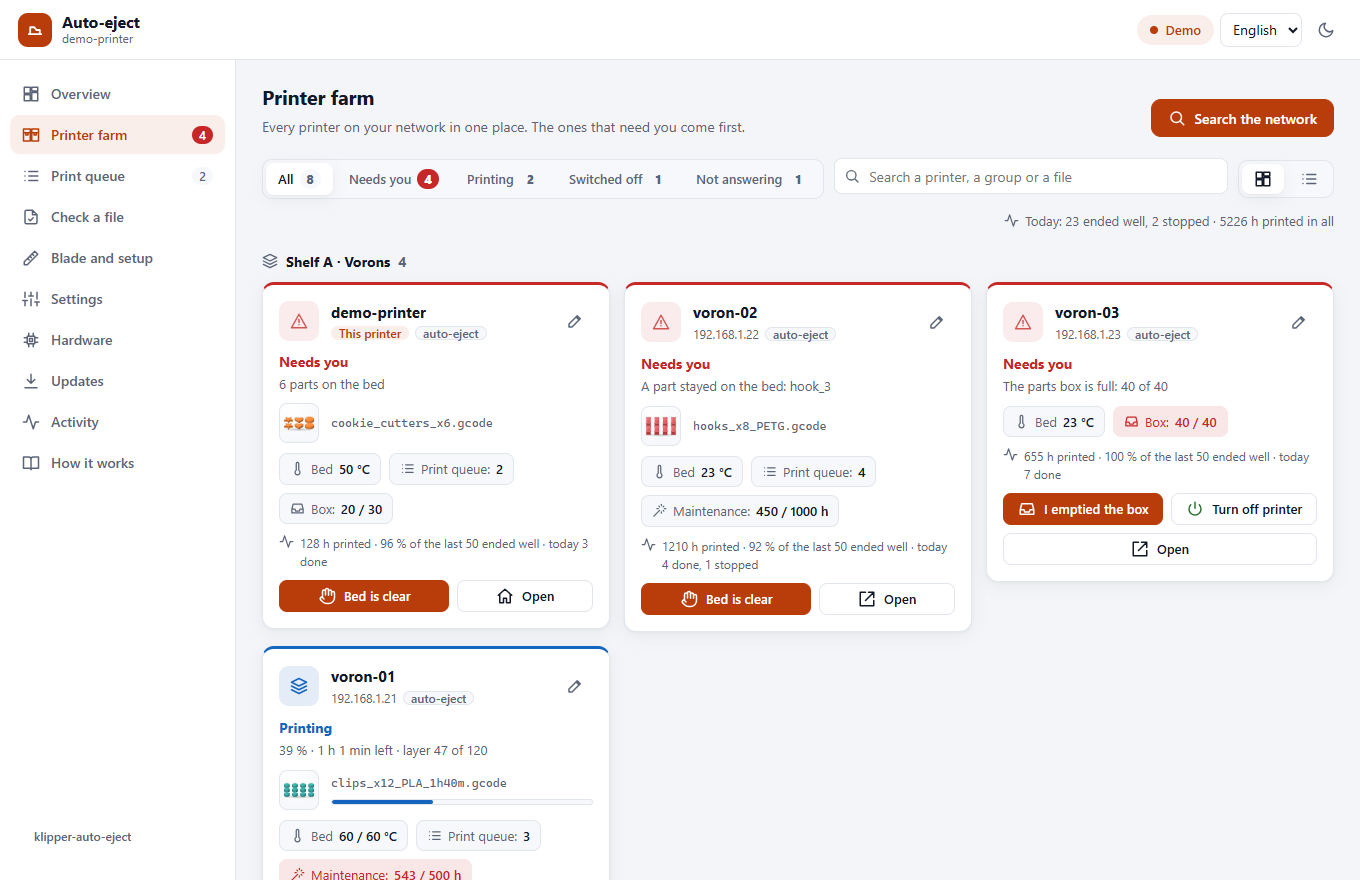
A printer farm. Every Klipper printer of your network on one page, the ones that need you first. Search the network finds and adds them; the other printers need nothing installed.
The blade
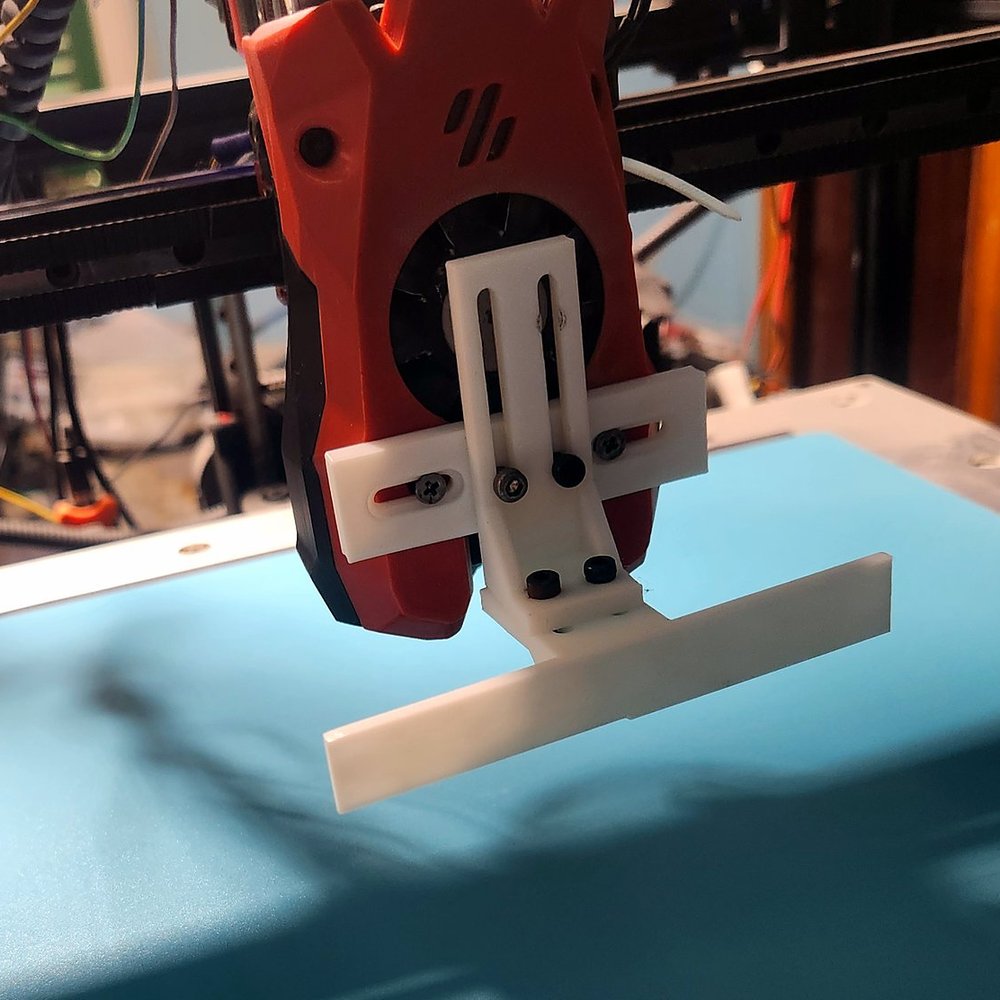
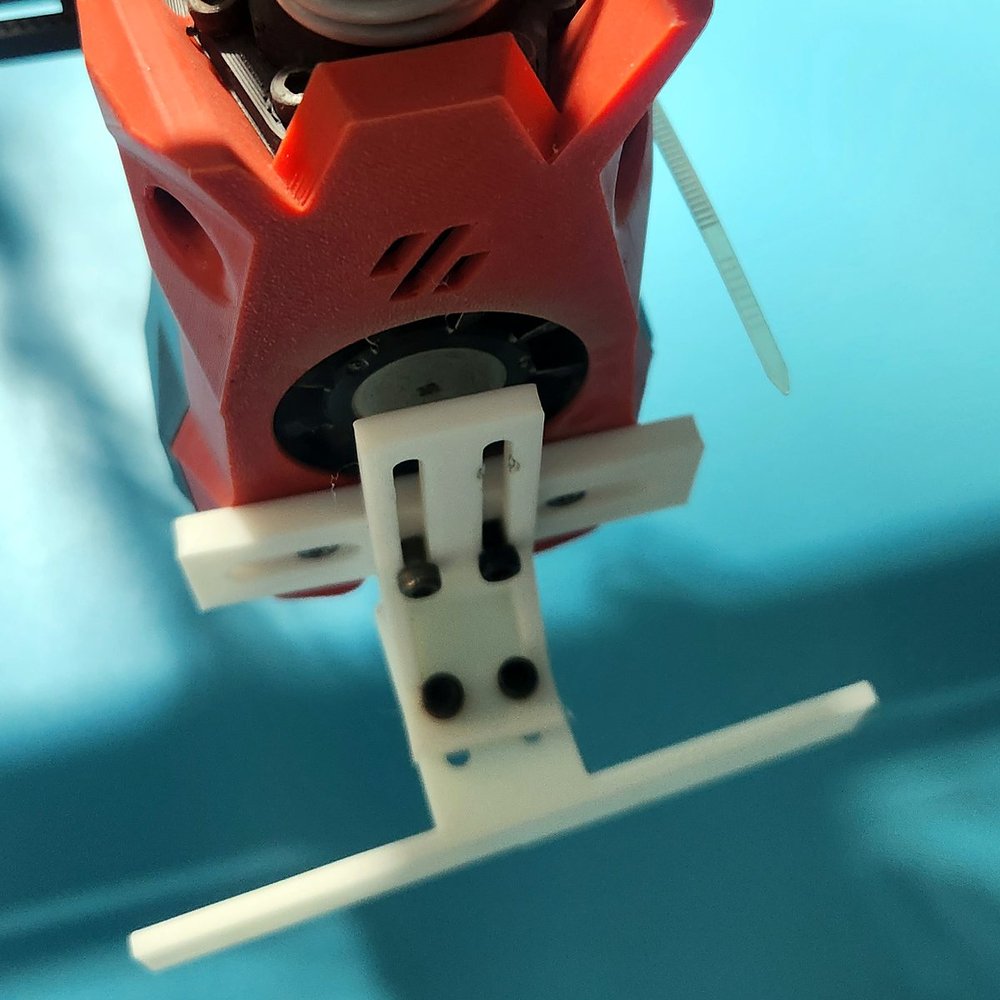
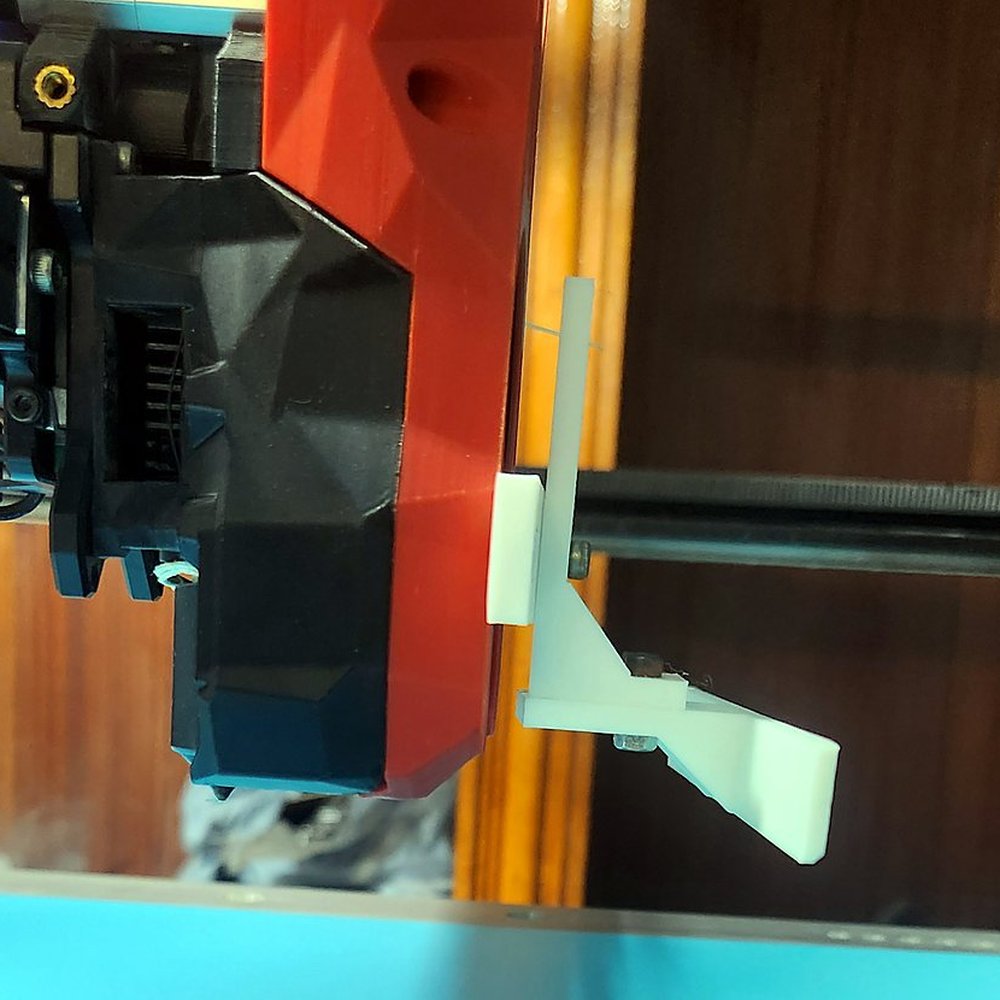
Three printed parts held with M3 screws. Every joint has slots, so one design fits most toolheads, and blades come 60, 80 and 100 mm wide. Print and mount it
Works with
-
CoreXY
Voron, RatRig, VzBot, Sovol SV08… The bed stays still: ideal.
-
Cartesian and bed slingers
On Klipper. Bed slingers push left or right.
-
Vendor Klipper
Creality K1, Qidi, Sovol: if you can edit the config.
-
Not supported
Delta printers, Marlin, Bambu Lab and stock Prusa firmware.








Klipper and Moonraker, Mainsail or Fluidd, and OrcaSlicer, PrusaSlicer, SuperSlicer or Cura. Phone access through Tailscale; the spool checked with Spoolman; DEMON and other macro sets.
Get started
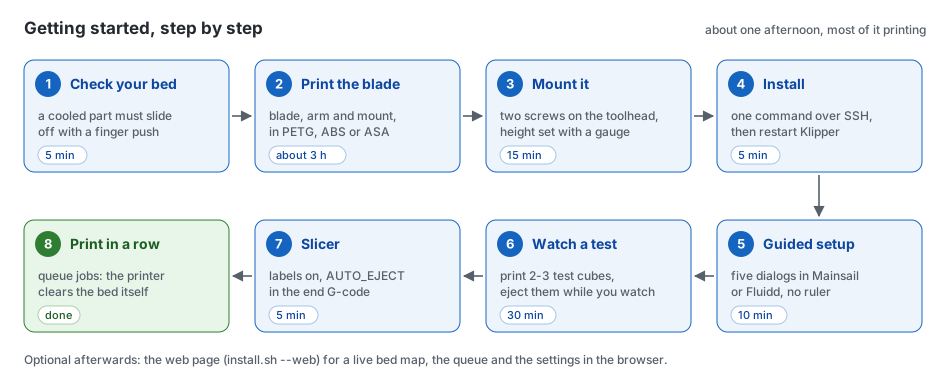
About one afternoon, most of it printing the blade. Every step says how to check that it worked. Installing is one line on the printer; it asks a few questions and does the rest:
cd ~ && if [ -d klipper-auto-eject ]; then git -C klipper-auto-eject pull --ff-only; else git clone https://github.com/ahmedbebars/klipper-auto-eject.git; fi && ./klipper-auto-eject/install.sh
Start step by step Questions and answers Removing it بالعربية
Open source
klipper-auto-eject is free software under the GPLv3, the same license as Klipper. Reports from other printers, blade designs and translations are very welcome.